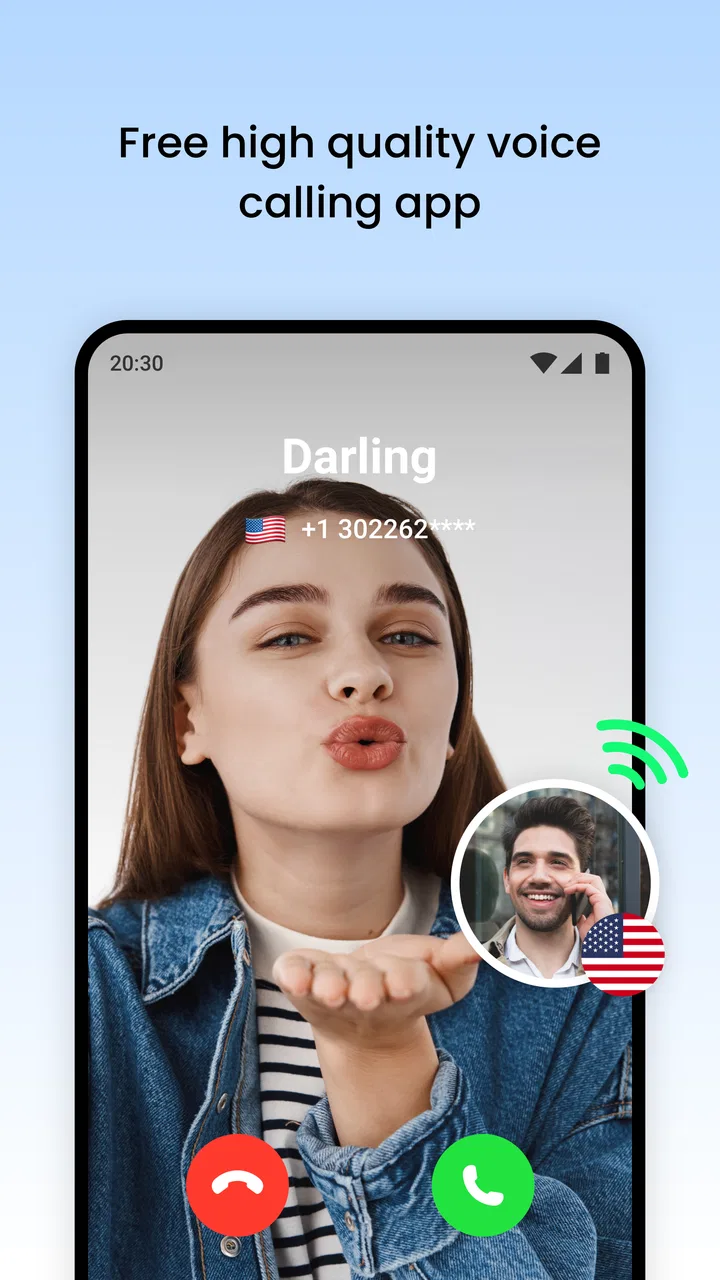
We Call - WiFi Calling
- 4.2
- Rating
- 1.00M
- Installs
- Free
- Price

 Analysis by App-foxy
I approached We Call - WiFi Calling as a practical communication app rather than as a replacement for every calling service on my phone. Its purpose is easy to understand: it gives people another way to stay in touch when a normal mobile connection is inconvenient, with Wi-Fi playing an important role in the experience. After spending time with it, I think its appeal comes from simplicity, but that simplicity also means you should pay attention to the choices you make around contacts, calling access, and optional purchases.
Developed by Hangout Studio, this free communication app is aimed at a broad audience and carries an Everyone age rating. It reached the store on April 3, 2024, and its current version is 1.5.20. The app has passed the half-million-install mark and holds an average rating of 4.1 from roughly 2,100 ratings, alongside about 87 written reviews. Those figures suggest a reasonably active user base, although they are not a substitute for checking whether its calling approach fits your own needs.
What We Call feels like in everyday use
The first thing I noticed is that the app is built around a straightforward promise: communication should remain available when cellular coverage is unreliable or when Wi-Fi is the more convenient connection. That makes it especially interesting for people who spend time in buildings with weak reception, use a tablet or secondary device, or want a separate calling option for particular situations.
You May Also Like

 Google Keep - Notes and lists
Google Keep’s Quiet Growth Shows the Appeal of Simpler Notes
As mobile work gets busier, Google Keep keeps winning a simple contest: capture a thought quickly, find it later, and get on with the day.

 Blood Strike: 2.5 Anniversary
Blood Strike’s Loadouts Turn Every Drop Into a Tactical Gamble
A close look at Blood Strike’s custom loadouts: how fast access to signature weapons reshapes its battle royale rhythm, rewards preparation, and narrows the gap between fights.

 Pandora - Music & Podcasts
Pandora’s Music Is Easy to Start, but Harder to Recover
Pandora’s strength is its low-effort path from a seed to a station. Its weak spot is how much confidence it asks you to place in connection, setup, and quiet recovery.

 8 Ball Pool
 Is Built on Rivalries, Rematches, and Routine
A close look at the rivalries, rematches, shared routines, and unanswered safety questions that turn a quick pool match into a persistent mobile community.

 Samsung Music
’s Quiet Strength Is Playing What You Already Own
Its reach comes less from spectacle than from dependable access to a personal library. That simplicity is both the app’s strongest retention engine and its ceiling.

 AccuWeather: Weather Radar
AccuWeather Review: A Quick, Clear Forecast for Everyday Decisions
For everyday plans, the best forecast is the one you can understand quickly. AccuWeather makes rain timing, radar, and local conditions easy to act on, with a few trade-offs.
More From Our News Desk



A realistic example would be someone working in a large office where mobile signal drops inside certain rooms. If the workplace Wi-Fi is stable, an app like this can be useful for making a call without repeatedly walking outside to find reception. The same logic can apply at home in a basement room, in a hotel, or while visiting a location where the local mobile signal is inconsistent.
That does not mean Wi-Fi automatically makes every call better. The quality of the connection still matters, and a crowded or unstable network can produce delays or interruptions. I would treat We Call as an additional route for communication, not as a guarantee that every call will be clearer than a normal phone call. Its value is situational: when Wi-Fi is dependable and cellular service is not, it becomes much more attractive.
The store summary presents the app as a way to communicate without worries, while its short description is simply “We Call.” I found the shorter positioning more useful than a long list of promises because it leaves room to judge the app by the actual calling workflow. In practice, the important questions are whether it is comfortable for your regular contacts, whether you understand any account or purchase prompts, and whether you are happy with the permissions and data choices shown on your device.
Who is likely to benefit most
I see the strongest fit for people who want a focused calling tool and do not need a large social platform attached to it. Someone who mainly wants to reach family, friends, or selected contacts may appreciate an app that keeps the central task visible instead of surrounding it with feeds, channels, or unrelated content.
It may also suit users who regularly move between places with uneven cellular coverage. A student in a residence hall, a remote worker in a converted room, or a traveler relying on dependable Wi-Fi could all have a practical reason to test it. The key is to try it in the exact environments where you expect to use it, rather than assuming that a Wi-Fi label guarantees a consistent result.
I would be more cautious if you need a mature business calling system, extensive team administration, or a broad collection of collaboration tools. In those cases, a conventional carrier service or a well-established communication platform may be a better match. We Call makes more sense when the goal is focused calling rather than a complete workplace communication suite.
Trust begins with the choices shown on the device
Because this is a communication app, I paid more attention than usual to the moments where the app asks for access or presents a choice. Calling tools can touch sensitive areas of a phone, especially contacts, microphone access, notifications, and account-related information. I do not treat an app’s category or popularity as proof that every permission is appropriate for every person.
My advice is to read each permission request at the moment it appears and decide whether it matches something you are actually trying to do. If you only want to explore the interface, there is no reason to rush through every prompt. If the app needs access for a specific calling action, you can consider that request in context rather than approving everything automatically.
This approach is particularly useful when setting up a communication app for an older relative. I would install it together, explain why each visible permission might matter, and avoid treating the setup screen as something to dismiss quickly. That small pause gives the user a clearer understanding of what the app can access and makes future troubleshooting easier.
I also recommend checking the operating system’s permission manager after installation. The app supports Android 7.0 and later, so the exact appearance of these controls can vary depending on the phone and its Android version. The system settings are the most practical place to review or change access later, especially if your usage changes or you stop using a particular feature.
Where data-sensitive moments appear
Calling is personal by nature, so I would think carefully about the information involved in each stage of use. Selecting a contact, initiating a call, granting microphone access, and responding to account prompts are all moments where I would slow down. The important habit is not to assume that a convenient setup is automatically the most private setup.
For example, if you are testing the app with a family member, start with one person you know rather than importing or exposing a large contact list immediately. This creates a smaller, easier-to-understand trial. It also lets you see whether the calling flow feels comfortable before you make the app part of your daily routine.
I would use the same caution on a shared phone or a device that belongs to a workplace. Avoid signing in casually if another person may later access the device, and review the account controls before leaving the app configured for someone else. Communication apps can remain connected in ways that are easy to forget, so a deliberate setup is worth the extra minute.
Network context matters too. A public Wi-Fi connection may be convenient, but I would avoid treating every open network as equally trustworthy. For sensitive conversations, my preference would be a network I recognize and control, or a trusted mobile connection when available. We Call can provide a useful calling route, but the surrounding network environment still affects how comfortable I feel using it.
How I would handle accounts and optional spending
The app is free to download, which makes trying it relatively easy. However, it includes in-app purchases ranging from $0.99 to $19.99 per item. That is the point where I would become especially deliberate. Before confirming a purchase, I would check exactly what is being offered, whether it is necessary for the way I plan to use the app, and whether the payment is a one-time item or part of a broader purchasing flow.
I would also avoid handing the phone to a child with unrestricted purchasing access, even though the app is rated Everyone. An age rating describes suitability; it does not replace device-level purchase controls or a conversation about spending. Families should use the operating system’s purchase protections and keep confirmation requirements enabled where possible.
For my own use, I would begin with the free experience and only consider paying if a clearly explained option solves a problem I actually have. This is one of the app’s important trade-offs: the low entry cost makes experimentation easy, but optional items mean you should not assume that every useful part of the experience is included without checking the screen carefully.
Account control is equally important. If I stopped using the app, I would not simply delete the icon and forget about it. I would first look for any visible sign-out, account, or connected-service controls, then review the phone’s permissions and remove access that I no longer need. Keeping that cleanup habit is sensible for any communication app, especially one used regularly.
Three practical habits that improved my evaluation
The first useful habit was testing the app in more than one network situation. A call that works well beside a home router may behave differently in a distant room, a busy shared network, or a location with weak Wi-Fi. I would make a short test call in the place where I expect to rely on the app most often, then compare that experience with a normal cellular call.
The second was starting with a small contact workflow. Rather than treating the app as a complete replacement for my phone immediately, I would choose one or two trusted contacts, confirm that the calling process is understandable, and only then decide whether it deserves a permanent place on my device. This reduces confusion and makes it easier to identify whether a problem comes from the app, the network, or the contact setup.
The third was separating convenience from necessity. If the app works as a backup when cellular service is poor, that may be enough value on its own. I would not buy optional items simply because they appear during setup, and I would not grant broader access than my intended use requires. This keeps the app in a clearly defined role instead of allowing it to become an unexplained part of my phone’s communication setup.
A fourth habit is worth mentioning for people who share devices: review notifications and recent activity after a test call. The goal is not to search for problems that are not there, but to understand how the app announces calls and account events on your particular phone. If notifications are too prominent, confusing, or visible to other people nearby, the system settings give you a chance to adjust the experience.
How it compares with familiar alternatives
Compared with ordinary carrier calling, We Call is most appealing when Wi-Fi is stronger than the mobile signal. Carrier calls remain the simpler choice when you have reliable reception and want the least amount of setup. They also tend to be the natural option for people who do not want to think about a separate app, permissions, or in-app purchases.
Compared with large internet communication platforms, We Call feels more focused in concept. Those alternatives may be better if your contacts already spend their time inside a particular messaging ecosystem or if you need group chats, file sharing, video meetings, or broad social features. The advantage of a focused tool is that it can feel less crowded; the disadvantage is that it may not cover every communication habit your household or team has developed.
That difference affects compatibility with other people. An app is only useful if the person you want to reach can participate in the relevant calling flow. Before recommending it to a family group, I would test it with one person and make sure both sides understand how calls arrive, what permissions are needed, and what happens if the Wi-Fi connection changes.
For users who want a privacy-first communication service, I would compare the visible account and permission controls carefully with the alternatives they are considering. I would not choose based only on the word “Wi-Fi” or on the rating. The best option is the one whose access requests, account behavior, and payment screens make sense to you and remain manageable over time.
Where the app may create friction
The biggest limitation is that the experience depends on conditions outside the app itself. A strong Wi-Fi signal does not always mean a stable internet connection, and a busy network can affect a call at the worst possible moment. If you need dependable communication for an urgent situation, I would keep another calling method available rather than relying on one app alone.
There is also a learning curve for people who expect every call to behave exactly like a carrier call. Contact access, notifications, account prompts, and purchase screens can make the experience feel less immediate. That is not necessarily a flaw, but it does mean the app rewards a careful setup instead of a hurried one.
The free price is helpful, yet the presence of optional purchases adds another decision layer. Some users will be comfortable with that; others will prefer a service with a clearer all-inclusive model. If you dislike evaluating add-ons or managing purchase restrictions, a standard phone plan may feel more straightforward.
I would also skip it if your main goal is an all-purpose messaging hub. We Call is not the first option I would choose for someone who wants a single place for extensive group coordination, media sharing, work collaboration, and social interaction. A broader platform may be more efficient for that use, even if it is less focused on the basic act of calling.
My cautious verdict after testing the idea
We Call - WiFi Calling is worth considering as a secondary communication route, particularly for people who regularly encounter weak cellular coverage and have access to dependable Wi-Fi. Its free entry point, Everyone rating, and focused purpose make it approachable, while its growing install base shows that the concept has found an audience.
My recommendation comes with a clear condition: set it up thoughtfully. Test it on your own network, begin with a trusted contact, inspect permission prompts, and review account and purchase controls before making it part of your routine. Those steps are more important here than simply installing the app and assuming it will behave like the phone dialer.
For a person who wants a simple backup for everyday calls, I can see the appeal. For someone who needs guaranteed availability, advanced workplace controls, or a complete messaging ecosystem, I would look at the usual alternatives first. Its strongest quality is not that it replaces every calling option, but that it can add a useful Wi-Fi-based path when your normal connection is the weak link.
In the end, I would keep it only if it performs reliably in the places that matter to me and if its visible choices remain comfortable to manage. Hangout Studio has made an accessible communication app, but the right decision depends on your network, your contacts, and how much control you want over permissions and optional spending. Used with that awareness, We Call - WiFi Calling is a sensible tool to test rather than a service I would recommend blindly to everyone.
FAQs for We Call - WiFi Calling
01What is We Call - WiFi Calling and how does it work?
We Call - WiFi Calling is an application that allows you to make calls over a WiFi connection, bypassing traditional cellular networks. This is particularly useful in areas with weak cellular signals but strong WiFi. The app uses VoIP (Voice over Internet Protocol) technology to facilitate clear and reliable communication.
02Is We Call - WiFi Calling compatible with all devices?
We Call - WiFi Calling is compatible with most modern Android and iOS devices. However, it's essential to ensure your device meets the app's minimum operating system requirements, which are usually specified in the app store. Older devices may experience performance issues or lack some features.
03Do I need a specific internet speed for We Call - WiFi Calling to work effectively?
Yes, a stable and reasonably fast internet connection is necessary for optimal performance. A minimum speed of 1 Mbps is typically recommended for seamless voice calls. Slower connections may result in call drops, delays, or reduced audio quality. Always check your network speed to avoid these issues.
04Are there any costs associated with using We Call - WiFi Calling?
While the app itself may be free to download, some features might require in-app purchases or subscription fees. Additionally, data charges may apply depending on your internet service provider. It's advisable to review the app's pricing details and your data plan to avoid unexpected costs.
05How secure is We Call - WiFi Calling in terms of privacy and data protection?
We Call - WiFi Calling employs encryption to protect your calls and data. However, it's crucial to use the app on secure WiFi networks to minimize risks. Public WiFi networks can be less secure, so ensure you're connected to a trusted network when making important calls. Review the app's privacy policy for more details.
Pros
- High-quality audio for clear conversations.
- Easy to set up and user-friendly interface.
- Supports international calling at no extra cost.
- Compatible with most WiFi networks.
- No need for cellular network reliance.
Cons
- Requires stable WiFi for optimal performance.
- Limited features compared to standard calls.
- May consume more battery than regular calls.
- Not supported on all devices or OS versions.
- Occasional minor connectivity issues.

We Call - WiFi Calling
Gallery